Booking Software for Businesses: Online Appointment Scheduling via WhatsApp

Booking software automates appointment scheduling, reminders, and client communications for service businesses. The best tools reduce no-shows by up to 39%, integrate with Google Calendar, and send WhatsApp confirmations automatically. Happoin stands out for clinics, salons, and service businesses by connecting to your own WhatsApp number — clients book 24/7 without you lifting a finger.
Whether you call it booking software, an online booking system, or appointment scheduling software — the goal is the same: replace the manual back-and-forth of confirming appointments with an automated system that works around the clock, so you can focus on doing the work you love.
Running a service business in means living on a schedule. Whether you run a beauty salon, a physiotherapy clinic, or a barbershop, your calendar is your business. Managing it manually — through WhatsApp messages, phone calls, and sticky notes — costs you more time and money than you probably realise.
This guide covers what booking software for businesses actually does, which features matter, how the top options compare for service businesses, and why the tool you choose should work with your existing setup — not replace the way your clients already communicate with you.
What Is Booking Software — and Why Your Business Needs It
Booking software is a digital system that lets your clients schedule, confirm, reschedule, and cancel appointments online — automatically, without you needing to be involved in every exchange.
For service businesses, the impact is immediate. According to NHS England, missed appointments cost the health sector over £1 billion per year — a figure that mirrors the productivity loss felt by private service businesses when clients forget, cancel last-minute, or simply don't show up.
The right booking system solves this with automated confirmations sent immediately after booking, reminder notifications via WhatsApp or email 24–48 hours before the appointment, online booking pages so clients can book at any time, real-time calendar updates visible from any device, and payment integration to reduce no-shows through deposits.
Businesses using appointment booking software report saving an average of 5–7 hours per week in admin time. That's time you can spend serving clients — not answering messages.
Key Features to Look For in Appointment Booking Software
Not all booking systems are built the same. Before choosing a platform, check it covers these five areas:
Automated Reminders and Confirmations
The single biggest benefit of any online booking system is eliminating the manual "just confirming tomorrow's 3pm" message. Your software should automatically send a confirmation the moment a booking is made and a reminder 24 hours before the appointment. The best systems let you customise both the message and the timing — so reminders feel personal, not robotic.
Online Booking Page
Your clients shouldn't need to call or message you to check availability. A booking page lets them see your real-time calendar, choose a service, pick a time slot, and confirm — in under two minutes, any time of day. Look for a system that lets you share the booking link on your website, Google Business Profile, and social media bios.
WhatsApp Integration
In Europe is estimated that WhatsApp is used by over 200 million people — making it the default messaging app for the majority of your clients. If your booking software sends reminders via WhatsApp, you'll get dramatically higher open and response rates than SMS or email.
The key distinction: some tools send WhatsApp messages from a generic shared number. Others — like Happoin — connect to your own WhatsApp Business number, so the message comes from the contact your clients already know and trust.
Google Calendar Sync
If you already manage your schedule in Google Calendar, your booking software should sync with it in real time. Bi-directional sync means a booking made on your online page blocks the slot in your Google Calendar automatically, and vice versa.
Payment Integration and No-Show Protection
Late cancellations and no-shows are one of the biggest revenue drains for service businesses. The solution: require a deposit or full prepayment at the time of booking. Your software should support this natively, with integrations for Stripe, PayPal, or similar friendly payment gateways.
Top Booking Software Options for Businesses (2026)
Here's how the leading platforms compare for service businesses — salons, clinics, coaches, personal trainers, and similar appointment-based businesses:
| Software | Best for |
WhatsApp (your own number) |
Free trial |
| Happoin |
WhatsApp-first service businesses |
Your own number |
✅ 15 days |
|
Fresha |
Salons & spas |
❌ |
✅ Free plan |
|
Square Appointments |
Retail & small salons |
❌ |
✅ Free plan |
|
Booksy |
Marketplace |
❌ |
❌ |
|
Acuity Scheduling |
Coaches & therapists |
❌ |
❌ |
|
SimplyBook.me |
Multi-staff teams |
❌ |
Limited free |
|
Calendly |
Meetings & B2B |
❌ |
✅ Free plan |
The main differentiator between Happoin and the rest is the WhatsApp channel. Every other platform sends confirmations via email or SMS. Happoin connects to your existing WhatsApp Business number, so every automated message arrives in the conversation thread your clients already open.
How Happoin's Booking Software Works via WhatsApp
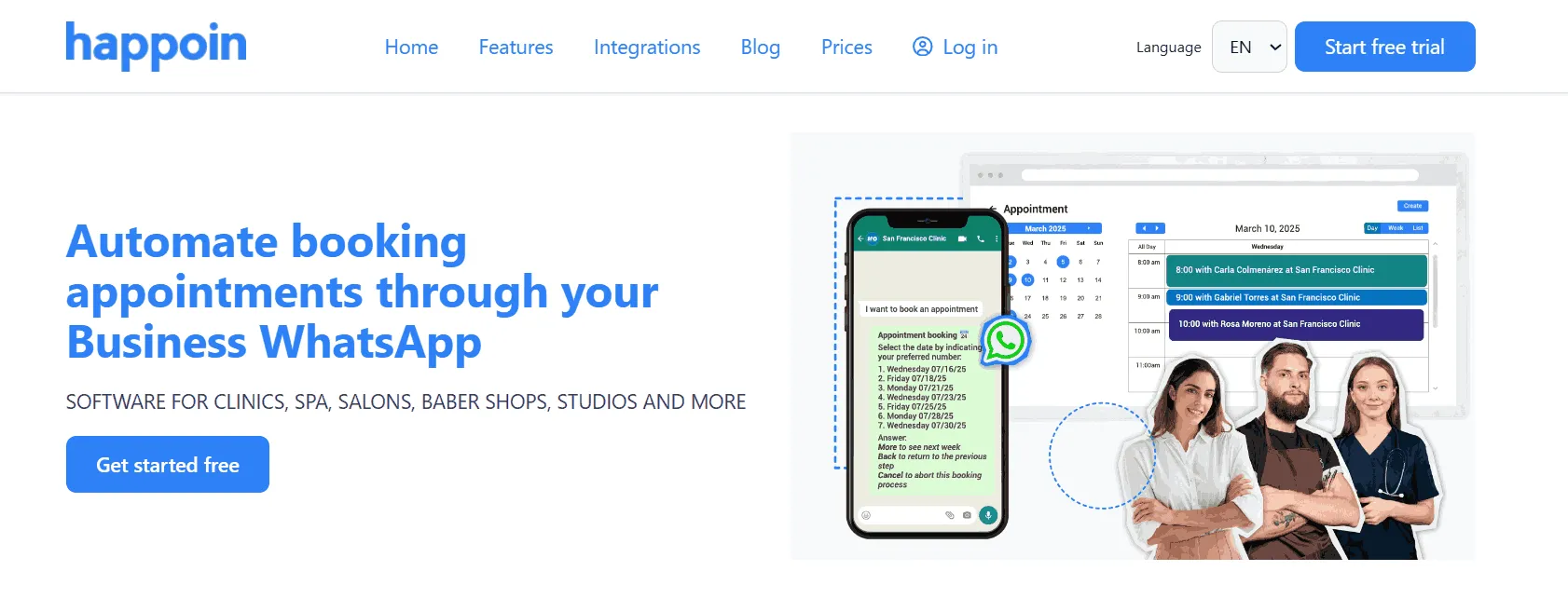
Most booking systems give you a new tool to learn, a new number for clients to save, and a new app for everyone to download. Happoin is a booking appointment app that takes the opposite approach.
Your Number, Your Brand
Happoin connects to the WhatsApp Business number you're already using. When a client books online, the confirmation arrives from your number — with your name, your profile photo, and your tone of voice. Clients aren't confused. They don't need to save a new contact. Trust is maintained from the first message.
"Great app! I book quickly and never miss appointments thanks to the reminders." — Natalia Ardito, Beauty Salon Owner
HappiBot 2.0: AI Chatbot That Books 24/7
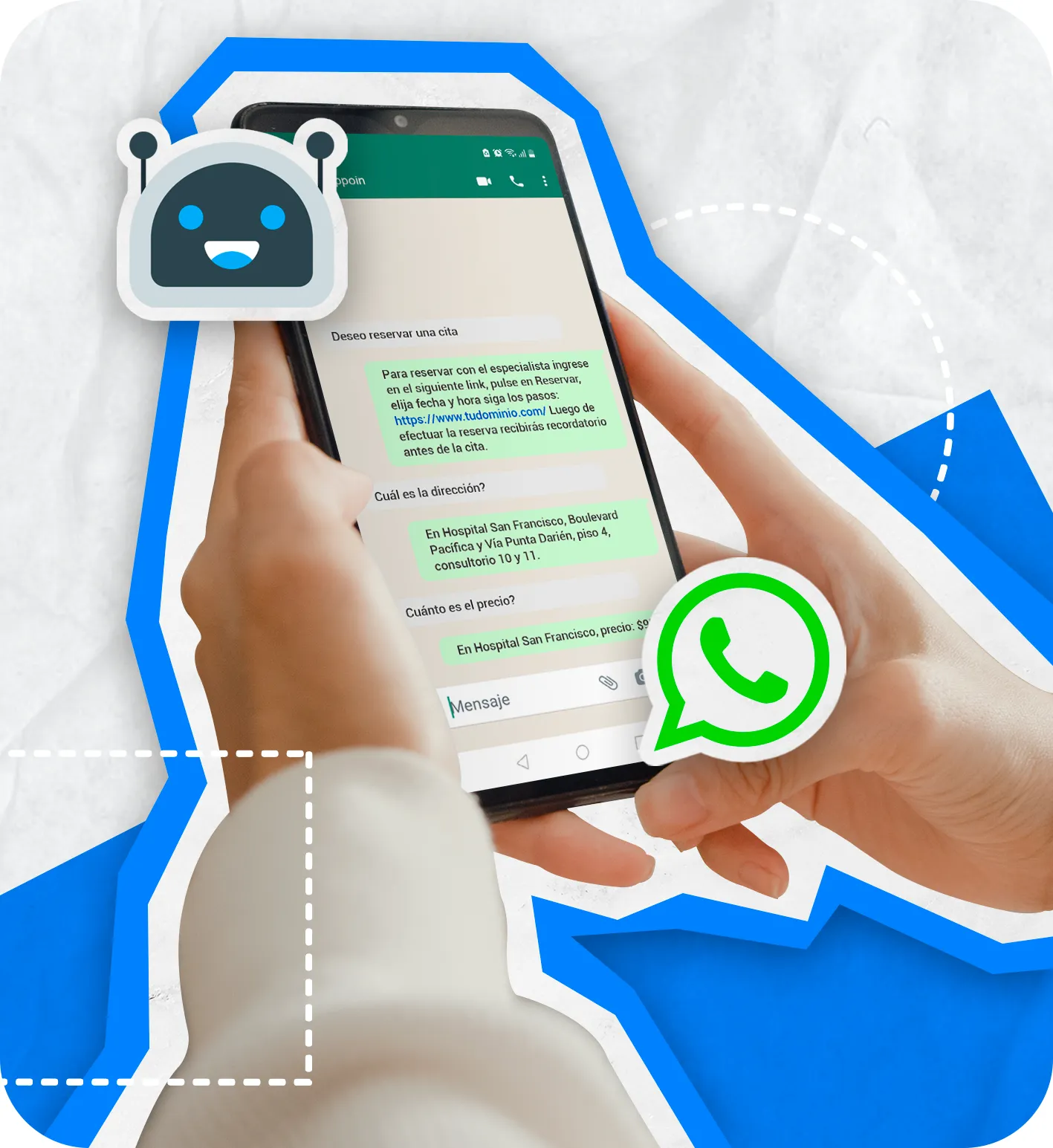
HappiBot is Happoin's AI-powered WhatsApp assistant. It handles incoming booking requests, answers questions about your services, prices, and availability, and lets clients book, reschedule, or cancel — entirely within WhatsApp, at any hour of the day.
HappiBot provides instant information about your services, prices, hours, and availability, and even lets clients book, confirm, modify, or cancel appointments directly through WhatsApp.
It’s easy to connect — just scan a QR code or link your number, and you can activate or deactivate it anytime.
Currently, there are two versions:
-
HappiBot 1.0 – Responds using preset commands (e.g., “1. Book appointment,” “2. Check schedule”).
-
HappiBot 2.0 with AI – Uses artificial intelligence to understand natural language and reply with personalized, context-aware answers. This version encourages more bookings and provides a human-like experience.
Because HappiBot is fully connected to your booking system, it automatically sends reminders, confirmations, and customized notifications. Clients get messages at the times you define, while you receive real-time updates from the Happoin app.
Businesses using HappiBot report saving up to 49% in operational costs, while delivering faster, more professional client service — even outside working hours.
HappiBot turns your WhatsApp into an intelligent communication channel that works for you, letting you focus on what matters most: growing your business.
Benefits of Booking Software for Service Businesses
Fewer No-Shows
Automated reminders are the most direct way to reduce no-shows. When a client receives a WhatsApp message from your number the day before their appointment, they're far more likely to confirm, reschedule, or cancel in advance — giving you time to fill the slot. Happoin users report a reduction in no-shows of up to 39% after activating automated WhatsApp reminders.
More Time for What Actually Matters
Manual appointment management consumes an average of 1–2 hours per day for a busy service business. That's 7–14 hours a week spent on admin instead of clients. Booking software reclaims that time completely.
Better Client Experience — and Better Reviews
When clients book online in 90 seconds, receive immediate confirmation, and get a friendly reminder the day before, they perceive your business as organised and professional. Happoin also automatically requests a review after each appointment, helping you build your Google rating without manually chasing clients for feedback.
Full Business Visibility
You should never have to ask yourself "what's on today?" A booking system gives you instant visibility: today's appointments, this week's revenue, upcoming gaps in your calendar — all from your phone.
How to Get Started with Happoin in 5 Steps
Switching from manual scheduling to a booking software for businesses doesn't have to be complicated. Here's how to go from zero to automated in less than a day:
-
Start your 15-day free trial — Create your Happoin account and connect your WhatsApp Business number. No credit card required.
-
Personalise your reminders — Set the message text, tone, and timing. Your messages, your voice.
-
Add your services and activate your booking link — Build your service catalogue and get a shareable booking URL for Instagram, Google Business Profile, and your website.
-
Schedule your first appointment — Make a test booking to see exactly what your client experiences.
-
Activate HappiBot 2.0 — Enable the AI assistant to handle incoming booking requests 24/7, even when you're with another client.
Balancing automation and control not only saves time — it transforms how you manage your business.
How to Choose the Right Online Booking System for Your Business
Not every online booking system is built for the same type of business. A consultant scheduling back-to-back calls has different needs to a beauty salon managing walk-ins, no-shows, and repeat clients. Before committing to any scheduling software, ask yourself these questions.
How do your clients prefer to communicate? If the answer is WhatsApp — and for most service businesses it is — then your online booking software should work within that channel, not alongside it. Tools that bolt on a WhatsApp integration as an afterthought create friction; tools built around WhatsApp (like Happoin) eliminate it.
How many staff members need access? Solo operators need a simple appointment app with one calendar. Multi-staff businesses need a platform that manages individual team calendars, assigns clients to specific providers, and gives management an overview of the whole team's schedule.
Do you need an appointment booking app your clients can download, or a web-based booking website they access without downloading anything? Most modern clients prefer the frictionless option: a mobile-optimised booking page they access via a link in your Instagram bio or WhatsApp message, with no app to install on their end.
Do you need free scheduling software to start, or are you ready to invest in a paid plan that includes automations, payment integration, and client management? Many platforms offer a free tier with limited features — enough to test the workflow, not enough to run a serious business. Happoin's 15-day trial gives you full access to every feature so you can make an informed decision.
Finally, consider data ownership. Some online scheduling software platforms treat your client list as theirs — especially marketplace-based tools like Fresha or Booksy, which can show your clients competing businesses. Happoin keeps your client data private, in your dashboard, always.
Your Booking Link and Booking Website: Share Them Everywhere
Once you set up your appointment software, one of the first things to do is activate your booking link — a unique URL that takes clients directly to your online booking page. Think of it as your digital front door: always open, always showing live availability.
Your booking website (or booking page) doesn't need to be a full website. It's a dedicated page — hosted by Happoin — that shows your services, your availability, and lets clients book and pay in under two minutes. Share the link in your WhatsApp status, Instagram bio, Google Business Profile, and any printed marketing materials you use.
The more places your booking link appears, the more bookings you'll receive passively — without any active selling on your part. Businesses that share their booking link across all channels typically see a 30–40% increase in new client bookings within the first month.
Booking Automation That Keeps You in Control
Technology shouldn't replace the human connection your business is built on — it should handle the repetitive work so you can focus on the appointments themselves. With Happoin, every automated message comes from your WhatsApp number. Every reminder arrives in your name. HappiBot speaks in your tone, with your information. You can pause, edit, or override everything at any time.
A great booking software for businesses doesn't disconnect you from your clients — it gives you time, structure, and control. Automate your bookings. Keep your voice. Grow your business with confidence.