
Social Media Manager
Google Calendar and WhatsApp Appointment Reminders: The Complete Integration Guide
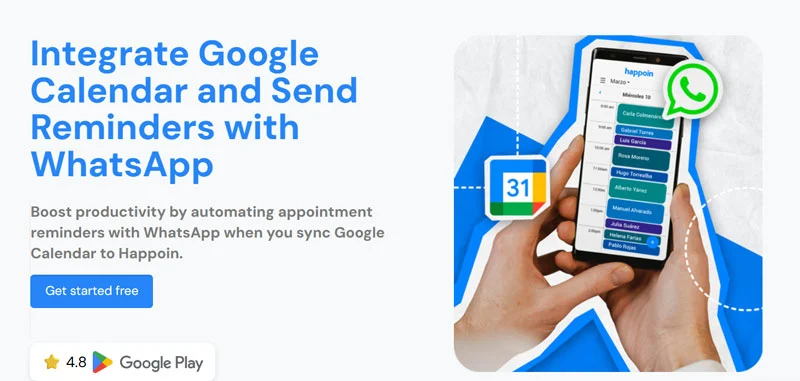
Your day-to-day life is a constant choreography of appointments, reminders, and clients who say, "Oops, I forgot!" with a guilty smile. And if you’re here, it’s because at some point in that dance, your schedule was dancing all over you.
The good news: connecting Google Calendar and WhatsApp reminders can be the key to regaining control (and sanity) over your workflows.
In this guide, you’ll discover how this integration works, when it makes sense, and—most importantly—why Happoin goes far beyond Google Calendar with an all-in-one solution for appointment-based businesses.
We'll also help you determine which appointment scheduling software is ideal for your business and what essential features you should look for.
Why Google Calendar and WhatsApp Reminders Matter
Imagine sending WhatsApp appointment reminders to clients automatically, every time you schedule an appointment, without manually sending messages one by one.
This is possible with Happoin through the Google Calendar integration, and while it helps reduce chaos, it has clear limitations. Google Calendar is a general scheduling tool, while Happoin is built specifically for businesses that manage client appointments, offering automation and advanced features that Google Calendar simply doesn’t cover.
Benefits of Integrating Google Calendar with WhatsApp
1. Effortless Organization (Really)
Integrating your Google Calendar with WhatsApp allows for greater efficiency in your time management. Your clients will receive notifications and appointment reminders from Google Calendar directly in their preferred messaging app, reducing the risk of forgetting important appointments. They can even manage their appointments, such as confirming, canceling, or rescheduling, without having to call you. Your events are updated in real time and automatically notified.
2. WhatsApp: Where Your Clients Already Are
It’s the most-used messaging app on the planet. Integrating Google Calendar reminders into WhatsApp ensures clients actually see and respond to notifications.
By integrating Google Calendar, you access your appointment reminders on a platform you already use daily, saving you time and effort.
3. Dramatically Reduced No-Shows
WhatsApp is one of the most widely used messaging apps in the world. Automating reminders on WhatsApp with direct integration with Google Calendar can reduce missed appointments by up to 80%, according to internal studies by management platforms.
4. More Time for You
With tools like Happoin, you can automate appointment management, which means less manual work and more time to focus on other high-value areas for your business. Fewer manual messages. Fewer unnecessary calls. More focus on what really matters: growing your business.
Is Google Calendar WhatsApp Integration Right for You?
Integrating the Google Calendar extension with Happoin to automate WhatsApp appointment reminders is a great advantage for many businesses, but it's important to evaluate whether this system is right for your business model.
Below, we present a series of questions and criteria that will help you determine if you should implement this integration in your business.
Key Questions to Take Action:
What is the volume of appointments or events you handle per week?
If your business handles more than five appointments per week, integrating Google Calendar with WhatsApp can help you better manage your time and reduce your administrative burden.
Do your clients usually communicate via WhatsApp?
If most of your clients prefer to communicate via WhatsApp (which is the safest option), this integration can significantly improve your customer experience.
Do you frequently have problems with forgetfulness or last-minute rescheduling?
Monitor your Google Calendar with automatic reminders sent via WhatsApp, as they can reduce the number of missed appointments and improve your clients' punctuality. No more wasting time sending reminders manually and avoiding forgetfulness.
Looking to Improve Communication with Your Clients?
Integrating Google Calendar with WhatsApp can simplify communication, allowing you to send events, appointment details, reminders, and updates directly through WhatsApp. Perfect communication.
Why Happoin Is More Than Google Calendar
Here’s the big difference: Google Calendar was designed to manage events. Happoin was built to automate appointment booking through your Business's WhatsApp.
-
Google Calendar: lets you create events and have email reminders.
-
Happoin: combines appointment scheduling, reminders from your business's WhatsApp, personalize reminders, sending time, chatbot with AI for customer support, payments, online reservation, clients forms, metrics and reports—all in one place.
If you just need simple notifications, connecting Google Calendar and WhatsApp can help. But if you want an appointment system that saves you hours of manual work and grows your business, Happoin is the solution.
This is where Happoin comes in, an appointment management software made for real people with real businesses. Happoin doesn't just connect your Google Calendar to your WhatsApp: it does it intuitively and quickly.
No endless tutorials or cryptic configurations.
It's an innovative app that takes your business's appointment management to the next level, with appointment automation through your WhatsApp. With Happoin, you can integrate Google Calendar, your WhatsApp, and other tools as well. This software not only makes scheduling appointments or events easier, but also automates many aspects of your calendar management, allowing you to save time on repetitive daily tasks and reduce errors.
Benefits of Happoin
Complete Automation
Happoin allows complete automation of your business's appointment scheduling and reminders. Clients can book appointments directly through your WhatsApp, and they are automatically synced with your Google Calendar. Or vice versa, you can create your appointments or events in Google Calendar and send automated appointment reminders with the WhatsApp integration. It's the synergy you need.
Reminders
Send reminders through WhatsApp, reducing the number of missed appointments, optimizing your time, and improving customer satisfaction.
Easy Integration
The integration with Google Calendar and WhatsApp is simple and fast, allowing you to start managing your appointments efficiently in no time.
HappiBot 2.0 AI - WhatsApp Chatbot
Happoin includes a WhatsApp Chatbot HappiBot 2.0 AI that facilitates interaction and support with your clients 24/7, answering frequently asked questions, taking reservations, and assisting with scheduling appointments.
Real-life examples of using Google Calendar with WhatsApp
Beauty Salon:
Imagine you own a beauty salon and use Google Calendar to manage your appointments. However, your clients often forget their appointments or arrive late, which impacts your schedule and your income. By integrating Google Calendar with your WhatsApp, you can send automatic reminders and confirmation notifications directly to your clients via WhatsApp. This not only reduces no-shows but also improves your clients' punctuality, resulting in a more organized schedule.
Medical Clinic:
Another example is a medical clinic. Patients can book appointments via a WhatsApp link, and these appointments are automatically synced with the doctor's calendar. Additionally, the WhatsApp chatbot can answer frequently asked questions about office hours, clinic location, and available procedures, saving time for both clinic staff and patients. Fewer missed calls, more time for care.
How to integrate Google Calendar with your WhatsApp in Happoin?
In this VIDEO, learn how to integrate your team's Google Calendar, or if you have multiple calendars.
But to start integrating Google Calendar in just a few clicks, it's very simple. You must first be registered with Happoin. You can sign up for the free plan at the following link: Get Started for Free.
Then continue with these simple steps:
- In the Menu, go to Integrations.
- Click the Add button.
- Select Google Calendar.
- Select the Google account with the calendar you want to integrate and click Continue.
- Select the services Happoin can access and click Continue.
Done! Your calendar is now connected and synced with your WhatsApp for real-time communication. Remember that if you have a team, you also have the option to sync it with them.
From there, you can configure your services, schedules, reminder types, sending times, and automatic custom messages that will be sent from your WhatsApp.
Literally, in minutes, you'll be operating with the efficiency of a professional business...but from your phone.
Integrating Google Calendar with WhatsApp, especially with a tool like Happoin, is super simple and revolutionizes the way you manage your appointments and communicate with your clients.
Ready to go!