
CTO | Web developer
The Best Appointment Scheduling Software for Small Businesses (2026)

Appointment scheduling software is a tool that helps small businesses automate bookings, reduce no-shows, and manage client appointments without manual effort. The best options in 2026 include Happoin, Calendly, Acuity Scheduling, Setmore, and SimplyBook.me. The right choice depends on whether you need WhatsApp reminders, an online booking system, payment processing, or team scheduling.
If you're a professional or own a business such as an aesthetic center, yoga studio, spa, beauty salon, psychologist, clinic, physical therapist, consultant, veterinarian, etc., where scheduling appointments is one of the core functions, having an appointment scheduling app is almost mandatory.
It significantly reduces the manual work required to manage appointments, send reminders, receive reservations, etc., with an almost immediate return on investment.
Automating these tasks saves you valuable time that you can use for other important functions in your business. Below, we'll discuss the 11 best appointment scheduling apps :
-
Happoin
-
Google Calendar
-
Booksy
-
Acuity Scheduling
-
Calendly
-
SimplyBook
-
Appointy
-
Setmore
-
10to8
-
Booker
-
SalonBiz
Today, using online appointment scheduling software isn't just a convenience; it's a necessity that will streamline and save hours of work in many of your business processes, including those in SMEs. This will increase your productivity and that of your team.
In this article, we compare the best booking software and scheduling apps on the market, focusing on efficiency, ease of use, and the features each tool offers.
Appointment Scheduling Software Comparison
| SOFTWARE | FREE PLAN | PRICE | OWN WHATSAPP | REMINDERS | AI CHATBOT | GOOGLE CALENDAR |
| Happoin | 20 per month | $9/month | YES | Own WhatsApp | YES | YES |
| Google Calendar | Free | Free | NO | Email/SMS | NO | YES |
| Booksy | NO | 29.99/month | NO | Email/SMS | NO | YES |
| Acuity | Limited | $20/month | NO | Email/SMS | NO | YES |
| Calendly | Limited | $10/month | NO | Email/SMS | NO | YES |
| SimplyBook | 50 | $10/month | NO | Email/SMS | NO | YES |
| Appointy | Limited | $19.99/month | NO | Email/SMS | NO | YES |
| Setmore | 200 | $12/month | NO | Email/SMS | NO | NO |
| 10to8 | 100 | $12/month | NO | Email/SMS | NO | NO |
| Booker | NO | Consult | NO | Email/SMS | NO | NO |
| SalonBiz | NO | Consult | NO | Email/SMS | NO | NO |
How to choose the best appointment scheduling software to improve productivity for your business?
1. Start by defining what you need in scheduling software for better organization by answering these questions:
-
What type of business do you have?
-
How many employees need access to the calendar?
-
How many hours does it take you to manage messages and calls for appointments?
-
What types of services do you offer?
-
How many appointments do you manage per day or per month?
Aquí tienes una versión más clara y fácil de leer:
Answering these questions will help you understand how much time you currently spend manually managing appointments and organizing activities. It will also show you how using software or an app to automate these tasks can boost your productivity and free up valuable time to focus on the work that truly helps your business grow.
2. Compare features of each app:
-
Online scheduling: Allows you to schedule and manage appointments, such as consultations, meetings, and activities that you receive via messages. It also allows clients to book appointments directly on your website or through a link.
-
Automatic reminders: Send notifications via email, SMS, or WhatsApp. WhatsApp is one of the most used messaging apps, ensuring the effectiveness of your business's notifications, thus avoiding forgetfulness and no-shows.
-
Integrations: Connect with other business tools, such as invoicing, payments, a client management system, or your Google Calendar.
-
Online payments: Facilitates payment collection through the app, optimizing the sales process.
-
Reports and statistics: Gain valuable information about your business, such as the number of appointments, revenue generated, and the popularity of your services.
-
WhatsApp chatbot: Automate customer service and allow clients to book appointments directly from WhatsApp.
-
Automatic customer review requests: To help improve your online reputation and help you attract more clients.
-
Ease of scheduling appointments online: If you're a psychologist or therapist, for example, this is a fundamental service today. You can offer your clients the option to book appointments when you're not available to answer your phone, or they can book according to your schedule availability, so you don't lose income.
3. Choose a reputable booking software:
-
Read reviews and opinions from other users.
-
Try the free version before purchasing a paid plan. A free scheduling software for a trial period can help you validate that adapt to your needs
-
Make sure the app offers good customer service.
-
Read the plans page carefully to understand their prices, scope, and what's included (most don't detail this well and separate the cost from, for example, WhatsApp notifications).
Once you’ve reviewed these points, take a moment to compare what each app truly offers. Your goal is to choose the option that best fits your business needs and helps you automate the repetitive tasks you deal with every day—especially those that take time away from higher-value activities that can help your business grow. Most importantly, choose a system that makes your work easier and improves your business productivity.
Now, let's find out which one is best for you!
Is it essential that the appointment scheduling app include WhatsApp notifications among its features?
Yes, if you really want to reduce no-shows in your business and avoid losing revenue because your clients don't show up, a whatsapp scheduling app it's a huge advantage for your business if the booking appointment app you use offers automated WhatsApp notifications and reminders. Even better if these notifications are sent directly from your business's phone number, rather than from an unknown number offered by the app.
Some booking apps send WhatsApp reminders from a shared, centralized number. However, sending automated reminders from your own business’s WhatsApp number creates much more trust, because customers immediately recognize where the message is coming from, and you have total access to your chat. This greatly increases the chances that they will open the notification and confirm their appointment.
Many apps also send reminders by email, SMS, or a centralized WhatsApp number. But these methods are far less effective. Reminders sent directly from your business’s WhatsApp number have an estimated 98% open rate, making them one of the most reliable ways to ensure clients see and confirm their appointments.
Best appointment scheduling software that gives you greater customer satisfaction
1. Happoin
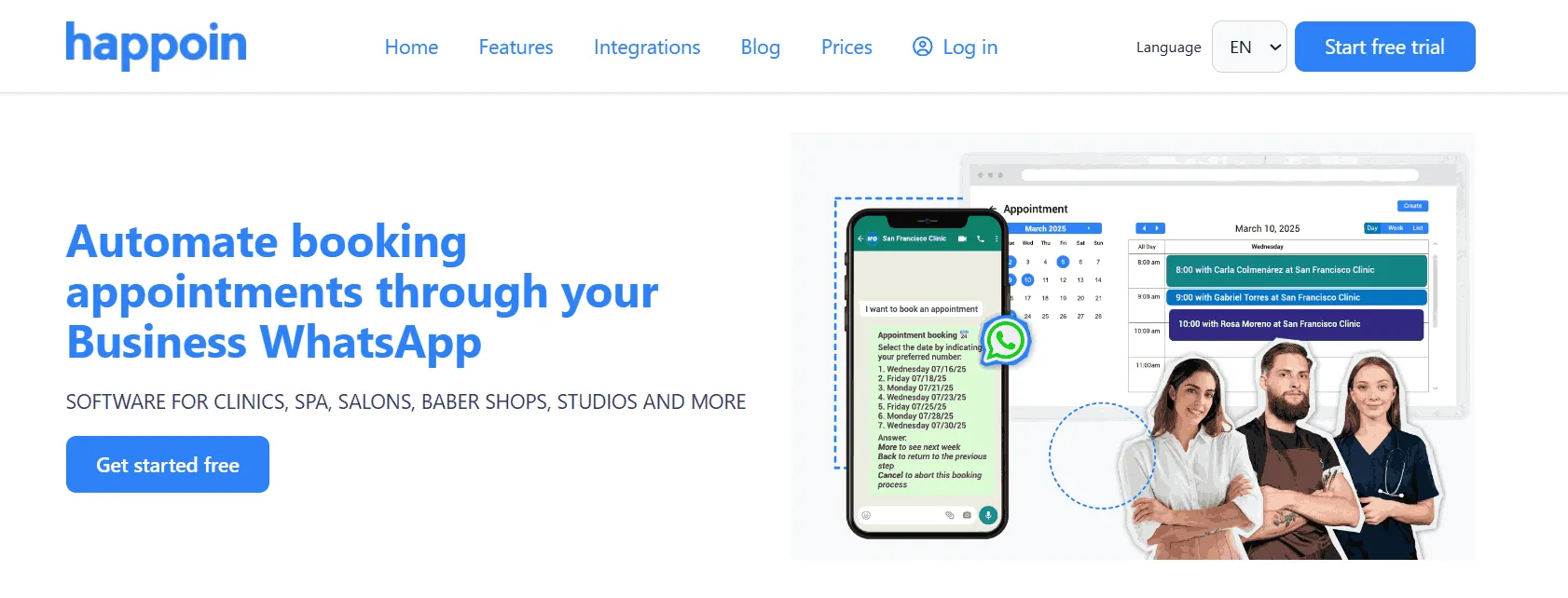
Happoin is an ideal appointment app for business if you want to automate a lot of the manual work, such as the work you do managing your clients' appointments. Its integration with WhatsApp makes it easy to enable WhatsApp appointment booking directly from your business's own number — significantly reducing no-shows and saving you money.
Highlights of Happoin's appointment scheduling software:
-
Automated reminders from your business's WhatsApp: Unlike other apps, Happoin allows you to send all appointment notifications through your business's WhatsApp, automating reminders so your clients can confirm their appointments to avoid no-shows. This builds greater trust when clients receive notifications, as they're not receiving them from an unknown number, making these notifications more effective.
-
Customize Reminders and Notifications: Unlike other apps, Happoin allows you to send multiple reminders and notifications via WhatsApp. Happoin allows you to customize the messages and times you want to send notifications. This way, you can give your clients a unique brand feel.
-
Happoin's own appointment calendar or integrate Google Calendar : Access your appointments from any mobile device, laptop, or other device. With the ability to integrate and sync Google Calendars, appointments created in Google Calendar also receive reminders. Booking website: You have a booking link where your clients can see your availability, make reservations, and reduce the number of calls and messages you have to answer manually by up to 50%. You can also accept payments for services, display client reviews, complete business information, and view your entire service catalog.
-
WhatsApp Chatbot to Save Time: You have the option to activate or deactivate your own WhatsApp Chatbot whenever you need, making it an excellent option for businesses looking to automate customer service and offer a more seamless experience to their customers at all times. The Chatbot allows you to answer frequently asked questions from your customers and even manage appointments, thus reducing the time you spend on these tasks manually.
-
24/7 Customer Service: You don't need to be glued to your phone; Happoin helps you automate not only management tasks but also customer service tasks with its WhatsApp chatbot. It becomes the best scheduling system, as it automatically manages your customers' appointment bookings.
-
Security and Privacy: It offers an encrypted database storage system, ensuring that your business and customer information is protected, while respecting privacy policies at all times.
-
Intuitive interface: Anyone can use it, from a small business owner, their team, or sales team to a franchise chain.
-
Plans and pricing: It offers a free plan for small businesses and scalable payment options based on business size and needs. Subscription plans have a wide variety of management tools, including your customized website.
-
Integration with other apps: such as Google Calendar, invoicing, online payments, email marketing software, and more.
Now imagine a customer wants to book an appointment at your business or have some questions answered. Instead of calling or sending a message, they simply open WhatsApp and chat with Happoin's WhatsApp booking chatbot. The bot guides them through the booking process — selecting date, time, and service — based on your business context and availability.
Once the appointment is booked, the customer receives a WhatsApp message with all the details. Happoin then sends automatic WhatsApp appointment reminders — one a few days before and another a few hours before the slot. This keeps clients informed and dramatically reduces last-minute no-shows.
Why choose appointment scheduling software like Happoin?
First, if you're more of a visual person, here's a YouTube video that explains in detail one of the best appointment scheduling apps for your business.
Second, if your business requires a lot of repetitive tasks and you need a system for scheduling appointments, client meetings, booking software, etc. that adapts to today's digital lifestyle, Happoin is the ideal appointment scheduling app to help you automate these tasks. You'll no longer have to worry about your schedule, and you'll have more time to focus on growing your business. Plus, you have a version with a 15-day free trial plan to try it out.
2. Google Calendar
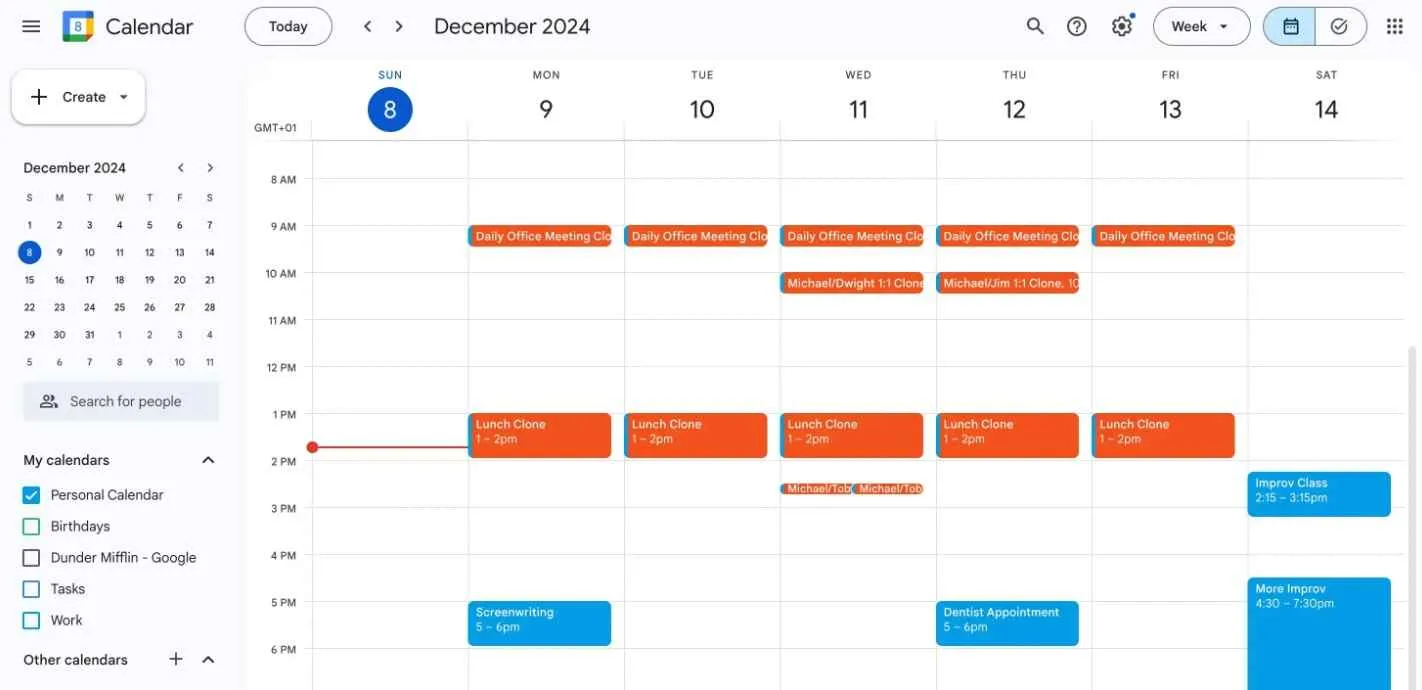
It's one of the most popular options when starting out looking for appointment scheduling software because it's free and a good place to start if you have a low volume of appointments to schedule.
However, while it’s a solid choice for those with very basic needs, it has several limitations compared to scheduling systems designed specifically for businesses that manage daily client appointments, such as clinics, beauty salons, barber shops, spas, or personal trainers.
Advantages of Google Calendar
-
Easy to use and available on all devices
-
Integrated with the Google ecosystem (Gmail, Meet, Drive)
-
Offers an online booking page
-
Suitable for independent professionals or simple schedules
-
Free for most users
Limitations of Google Calendar Compared to Specialized Solutions
No automation for WhatsApp appointment management
Google Calendar does not integrate scheduling or communication through WhatsApp.
It does not automate appointment reminders, replies, inquiries, or confirmations.
Not designed for businesses with services, staff, or booking rules
It lacks features such as:
-
Staff availability according to each service offer
-
Buffers, breaks, and advanced scheduling rules
-
Multi-staff management within the same business
These capabilities are essential for service-based businesses and are available in dedicated booking systems.
Limited reminders
Its reminders work via email or standard notifications—not through WhatsApp.
It also doesn't support personalized messages or automatic confirmations.
No online payment options to secure bookings
Google Calendar does not support deposits, upfront payments, no-show policies, or payment integrations.
No review requests or post-appointment follow-up
It cannot automate review requests or follow-up messages to improve client retention.
Very limited analytics
It does not provide key business insights like:
-
Attendance rate
-
Most requested services
-
New vs. returning clients
-
Peak hours or staff performance
Limited scalability
Google Calendar works well for solo professionals but not for businesses looking to automate operations or handle a high volume of appointments.
Google Calendar is a great tool if you need something simple, free, and with a basic online booking option. But if you need automation, WhatsApp reminders, staff management, online payments, advanced analytics, or a 24/7 self-service booking experience for clients, there are far more complete solutions available for your business automation.
3. Booksy
Booksy is a booking platform mostly for the beauty and wellness industry. It’s widely used by barbers, nail techs, hairstylists, estheticians, and other service providers who want an easy way for clients to book appointments online. Booksy offers a polished mobile experience, marketplace visibility, and tools to help independent professionals grow their client base.
However, while Booksy is a strong option for solo beauty professionals, it comes with limitations—especially for businesses looking for greater automation, more personalized communication, or lower commissions.
Advantages of Booksy
-
Large marketplace that helps attract new clients
-
User-friendly mobile app for both businesses and clients
-
Online booking available 24/7
-
Integrated payment processing
-
Marketing tools built into the platform
-
Ideal for barbers, stylists, and solo beauty professionals
Limitations of Booksy Compared to Specialized Alternatives
Limited WhatsApp integration and no automation for messaging
Booksy does not automate appointment management via WhatsApp.
It does not handle:
-
WhatsApp confirmations
-
WhatsApp reminders
-
Automated responses to client questions
This is a key drawback for businesses that need to automate tasks in order to save time in their business and whose clients primarily communicate through WhatsApp
Marketplace dependence and commission fees
Booksy promotes your business inside its marketplace, but often charges:
-
Appointment commissions
-
Boosted visibility fees
This can increase operating costs and reduce margins—especially for growing businesses.
Client ownership concerns
Because clients often book through Booksy’s marketplace or app:
-
You don’t maintain full ownership of the client relationship
-
Clients may discover competitors listed next to you
-
Branding is limited compared to having your own booking system
No custom chatbot for automated appointment handling
Booksy does not include an intelligent chatbot able to:
-
Answer FAQs
-
Automatically schedule and modify appointments
-
Handle client inquiries 24/7 through WhatsApp or social media
Solutions like Happoin offer this automation that will save your business valuable time managing your business.
Higher long-term cost for businesses that scale
Because of subscription pricing plus optional commissions and boosts, Booksy can become expensive as a business grows.
Booksy is a strong booking app for beauty and wellness professionals who want quick setup, marketplace exposure, and a sleek mobile experience. However, if your business needs deeper automation, WhatsApp-based appointment management, full client ownership, a customizable booking system, or more affordable scalability, dedicated platforms like Happoin can offer a more efficient and personalized solution.
4. Acuity Scheduling
Acuity Scheduling is an appointment management solution that adapts to both small businesses and large enterprises, with advanced features for managing calendars, locations, and teams, giving you better organization.
Key Features:
-
Online Booking: Offers the option for clients to schedule, confirm, or cancel their appointments themselves.
-
Automated Reminders: Offers automated reminders via email and SMS only.
-
Multiple Calendars: Manage different calendars for different employees or services.
-
Customizable Forms: You can create customizable forms to collect information from your clients during the appointment.
-
Online Payments: Offers integrations with Stripe, PayPal, and Square so you can receive payments from your clients. It has options for prepayments, deposits, and tips.
-
Pricing: The free plan includes basic features such as appointment and calendar management. Paid plans, starting at $20/month, offer advanced options such as online payments and synchronization with other calendars.
Among its disadvantages is that it lacks integration with WhatsApp, which is one of the most widely used apps today and makes appointment reminders more effective.
5. Calendly
Calendly is one of the most popular options for scheduling appointments. It's a good choice if you want to manage appointments individually; it's not ideal for managing a team.
Key Features:
-
Clean and easy-to-use interface: Ideal for professionals who don't require a complex solution. It comes in multiple languages.
-
Integration with other tools: It has multiple integration options so you can manage everything from within its software and automate tasks. It integrates well with platforms like Zoom or Google Meet, Hubspot for Hubspot meetings, Google Analytics, Stripe, PayPal, Mailchimp, among others.
-
Automated reminders: Calendly offers email and SMS reminder options; it doesn't offer WhatsApp reminders.
-
Security: Calendly uses standard security protocols, including encryption and two-factor authentication (2FA).
-
Pricing: It has a free plan with basic features, but for features like automated reminders or CRM integrations, the paid option is required.
While useful for speed dating, it may fall short if you need a more comprehensive solution for managing reminders and automatic confirmations.
6. SimplyBook.me
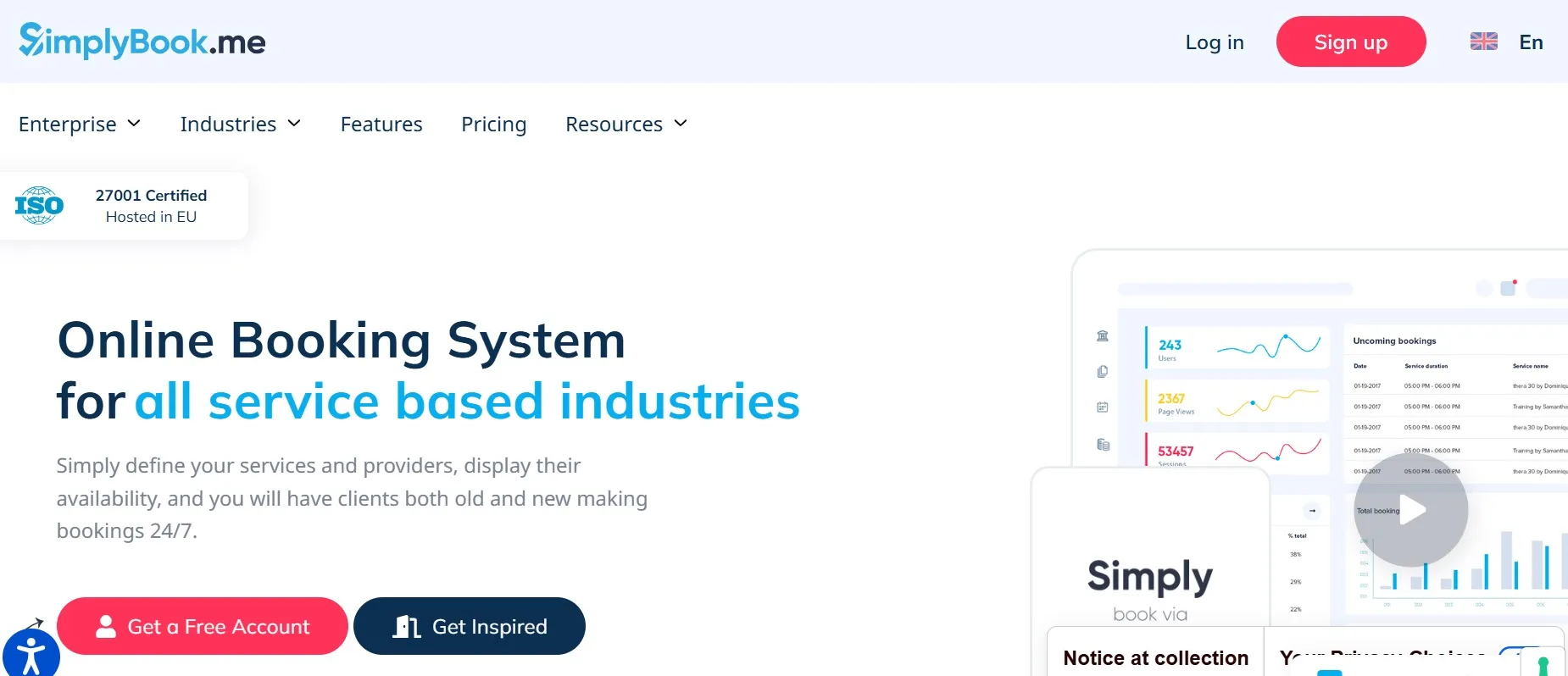
SimplyBook.me is a scheduling software for any industry that offers all the tools you need to manage all your appointments, whether individual or for an entire team. It also has a Marketplace where clients can find your services and book an appointment. It stands out because it offers a variety of templates to customize your booking website with your business brand.
Benefits of SimplyBook.me:
-
Custom Booking Pages: You can select from a wide variety of templates to customize your booking website with your brand identity, including your colors and logo.
-
Automated Reminders: Send automatic reminders to your clients by email or SMS only; there's no option to send them via WhatsApp.
-
Process Payments: SimplyBook.me offers options to process your clients' payments with credit cards, tap to pay, send payment links, and even provide tips through its system.
-
Online Booking: Offers the option for your clients to book through your website 24/7, and you can also enable booking buttons on Facebook and Instagram.
-
Pricing: There's a free plan limited to 50 appointments. Paid plans start at $9.90/month and include larger appointment capacity, online payment integration, and marketing tools.
7. Appointy
Appointy is ideal for any industry and offers its scheduling software in over 20 languages. It offers a reporting dashboard where you can measure the performance of your business or team, automated notifications, and advance payments to reduce absenteeism.
Key Features
-
Automated Reminders: Offers automated email and SMS notifications and the option to customize the emails you send to your clients.
-
Booking Website: Provides a 24/7 booking website for your clients with your own subdomain. If you already have a website, it offers a widget to receive bookings through your website.
-
Flexibility: You can configure your schedule according to the needs of your business or team. You can define available hours for each team member, create free time slots, and manage recurring appointments.
-
Advance Payments: Offers the option to receive advance or partial payments for services to help reduce absenteeism.
-
Marketing Tools: Includes solutions to expand your reach with an email marketing service and a tool to create promotions for your clients.
-
Security: Stores data securely in the cloud and complies with international security standards.
It offers a free plan with limitations and its premium plans start at $19.99/month.
8. Setmore
Setmore is a solid choice for enterprise teams or small businesses that need an appointment management system.
Setmore Features:
-
Automated Reminders: Provide email and SMS notifications for your clients.
-
Online Booking: Clients can schedule multiple appointments in advance through Setmore's appointment booking page.
-
All-in-One Calendar: You can schedule individual or group appointments for online classes and manage your calendar from any device.
-
Secure Online Payments: Offer payment methods so your clients can pay at the time of booking with credit or debit cards, Apple Pay, Google Pay, or Cash App.
-
Booking Buttons: You can add booking buttons to your social media accounts like Facebook and Instagram.
-
Pricing: There's a free plan for up to 200 appointments, and premium plans, which include more features, start at $12/month.
The biggest drawback is that it doesn't offer automated WhatsApp notifications, which you should consider if your clients communicate primarily through that channel and you want to reduce absenteeism or automate appointment management.
9. 10to8
10to8 specializes in managing reminders to prevent clients from forgetting their appointments. Its interface is designed to maintain a high level of customization and tracking.
Pros:
-
Automatic Reminders: Significantly reduce last-minute cancellations.
-
Intuitive Dashboard: Keep detailed track of appointments.
-
Data Security: Uses encryption to protect data and complies with GDPR and HIPAA standards.
-
Pricing: The free plan includes up to 100 appointments per month. Paid plans start at $12/month and include advanced features like SMS reminders and branding customization.
While its reminder features are advanced, it doesn't integrate WhatsApp as seamlessly as Happoin, leaving it behind for businesses that prefer to use that messaging platform.
10. Booker
Booker is another app designed for managing your appointments. You can use it to manage appointments for your business. It specializes in the beauty, fitness, and wellness sectors.
Highlighted Features
-
Online Booking: Like most apps, Booker offers you the option to enable online bookings for your clients, which is very convenient for reducing the volume of appointments you manage manually.
-
Management Tools: The app provides an inventory and payroll module to manage your team.
-
Online Payments: Offer your clients the option to pay online when booking, and also offers the option to integrate a POS system to facilitate payment for your services.
-
Marketplace: Booker gives you online visibility to connect with clients looking for your services by publishing your profile on its marketplace.
Among the most common disadvantages of this software are the high subscription cost and the fact that it only provides appointment reminders via email and SMS. There are also comments from customers who are not very satisfied with the technical support.
11. SalonBiz
SalonBiz is an appointment management and business software for beauty salons. It allows your team to schedule appointments and gives your clients the option to book online 24/7. These appointments are automatically reminded via email and SMS.
It also offers multiple solutions for managing your entire salon's operations, such as inventory, staffing, payments, advertising, and employee training.
Its advantages include a variety of tools for managing your entire salon's operations. However, it does not offer WhatsApp reminders or public pricing. You must request a quote and a demo to see if the software can adapt to your needs.
Why should you have an appointment scheduling app?
After all this information, we give you 5 more important reasons to consider, why you should have an appointment scheduling app for your business.
1. Automation and Time Savings
Having an appointment scheduling app automates key processes such as scheduling, sending reminders, and confirming appointments. This allows staff and business owners to focus on more strategic tasks, saving hours of work and eliminating the need to manually manage each appointment.
2. Reduction of Cancellations and No-Shows in appointment scheduling
Cancellations and no-shows are common problems that affect any business's revenue. An appointment app significantly reduces these inconveniences by sending automatic reminders via WhatsApp. This ensures that customers are reminded of their appointments and, if they need to cancel, do so with enough notice to allow the business to reorganize its schedule.
3. 24/7 Communication and Availability for Clients
With an appointment scheduling app , your customers can schedule their appointments anytime, anywhere. They don't need to wait for the business to open to call and book. This improved accessibility is not only more convenient for the customer, but also increases the likelihood of filling all available slots.
4. Improving Customer Experience
A seamless and efficient customer experience can be a key differentiator. With an app, customers have greater control over their scheduling process, can view real-time availability, receive instant notifications, and make changes to their appointments without having to interact directly with the business. This improves service perception, increasing loyalty and referrals.
5. Data Collection and Analysis for Decision Making
Scheduling apps allow you to collect valuable data on customer behavior: peak appointment times, cancellation rates, most requested services, and more. This analysis helps you make informed decisions, optimizing business performance. Additionally, many apps also offer the ability to integrate automated marketing tools, which can help increase bookings and customer retention.
There are definitely options and reasons on the market, but...
What is the best app for scheduling appointments?
When it comes to the best appointment scheduling software , every business has unique needs. If you're looking for a tool that allows you to integrate WhatsApp and automate all your appointment management so you have more time quickly and easily, Happoin takes the lead.
Plus, it gives you the option to send notifications to your customers from your business's own number. This way, your customers won't receive WhatsApp notifications from an unknown number, making responding to them more efficient.
It's the ideal solution for those who value efficiency and don't want to be glued to their phones all day.
While other platforms offer useful solutions, Happoin's combination of automation and personalized support makes it a must-have for those who want a hassle-free user experience.
If your business depends on scheduling appointments, why not take the step toward automation with the best tool on the market?
Oh, and if you're wondering... I'm just starting out. Is there an option to schedule appointments for free with WhatsApp?
Of course, since you've made it to the end, here's how to start your 15-day Free Trial of Happoin and transform the way you manage appointments and time in your business.