7 Examples of WhatsApp Appointment Reminders to Reduce No-Shows
Imagine this: you’ve prepared your office, your materials are ready, and you’ve turned away other clients because your schedule was "full." 4:00 PM comes and goes, ten minutes pass, then fifteen... and no one shows up. You send a message, and the answer is always the same: "Oh, I’m so sorry! It completely slipped my mind; I thought it was tomorrow."
If you own a clinic, a barbershop, or an aesthetics center, you know that a forgotten appointment (what we call a no-show in the business world) isn’t just a misunderstanding; it’s money down the drain and time you’ll never get back.
The good news is that the solution is right in your client's pocket. In this article, we’ll show you how to implement whatsapp appointment reminders with practical examples so your schedule stays full and your business runs like clockwork.
Why WhatsApp is the Best Tool for Confirming Appointments
Many businesses still rely on email or phone calls. However, the data doesn’t lie: email has an open rate of around 20%, while WhatsApp reaches an astonishing 98%.
Most people ignore calls from unknown numbers, but almost no one leaves a WhatsApp message unread. By using whatsapp appointment confirmations, you don’t just ensure the client sees the message; you provide them with an immediate and familiar way to communicate. It’s less invasive than a call and much more effective than an email that ends up in the SPAM folder.
The Anatomy of an Effective Reminder Message
Not all reminder messages are created equal. For a message to successfully ensure a client attends (or notifies you in time if they can't), it must meet these requirements:
-
Use your business number: For whatsapp appointment reminders to be truly effective, you should send them from your own business number. It’s strange for clients to receive reminders from an unknown number; it builds trust and value when it comes from your official business WhatsApp.
-
Personalization: Use the client's name. A "Hi, John" creates much more engagement and rapport than a "Dear client."
-
Absolute Clarity: The date and time must stand out. If possible, mention the name of the professional who will be attending to them.
-
Call to Action (CTA): Give a clear instruction, such as "Reply 1 to confirm" or "Confirm via this link."
-
Ease of Rescheduling: If they can't make it, provide a link to choose another date. This prevents the client from simply not showing up out of fear of having to explain themselves.
7 Examples of Appointment Reminders by Industry
Below, we share ready-to-use templates. Remember, the key is to adapt the tone to your brand personality.
1. Health Sector: Clinics and Doctors
The tone here should be professional and trustworthy. It’s vital to mention if the patient needs to meet any prior requirements (like fasting or bringing test results).
"Hello [Patient Name], this is a reminder of your medical appointment with [Doctor's Name] tomorrow, [Date] at [Time]. Please arrive 10 minutes early with your ID. Reply CONFIRM to secure your spot or click here to reschedule: [Link]."
2. Beauty Salons and Aesthetics
In this sector, the reminder should generate excitement. The client isn’t going to an obligation; they are going to treat themselves.
"Hi [Name]! ✨ At [Salon Name], we’re already counting down the hours to see you. Just a reminder of your appointment for [Service] tomorrow at [Time]. Please confirm your attendance by replying to this message. See you soon!"
3. Barbershops
The tone here is usually more direct and relaxed. The goal is to make the client feel like the barber is already waiting for them.
"Hey [Name]! Everything is set for your haircut tomorrow, [Date] at [Time]. Confirm you’re coming by replying with a 👍. If something comes up, let us know in time so we can give your spot to someone else. Location: [Link Maps]."
4. Spas and Wellness Centers
The focus should be on the exclusivity of the reserved space.
"Hello [Name], your moment of relaxation awaits. You have an appointment for [Service] on [Date] at [Time]. Please remember we’ve reserved this time especially for you. Will you be attending? Confirm by replying to this message."
5. Personal Training and Fitness
Here, the reminder also serves as a dose of motivation.
"Hi [Name]! We have training tomorrow at [Time]. Don’t let laziness win; I’ll be waiting to give it our all! Confirm your attendance here. 💪"
6. Psychology and Therapy
An empathetic tone that is highly respectful of privacy is required.
"Hello [Name], I hope you're having a good day. I’m writing to confirm our session tomorrow at [Time]. Please let me know if you’ll be able to attend. Best regards."
7. Follow-up Message (For No-shows)
If the client didn't show up, don't give up on them. An empathetic message can recover that sale.
"Hi [Name], we’re sorry you couldn’t make it to your appointment today. We understand that unexpected things happen. If you’d like to reschedule, you can do so directly through our assistant here: [Link]."
The Problem with Manual Management: Why You Need a Booking Appointment App
At first, when you have few clients, copying and pasting these messages seems easy. But as your business grows, manual whatsapp appointment scheduling becomes a logistical nightmare:
-
Human Error: You get the time or name wrong, or worse, you forget to send the message entirely.
-
Time Loss: If you have 15 appointments a day, you’ll spend at least an hour just sending reminders and managing replies.
-
Lack of Control: Not knowing who confirmed and who didn't until you check every single chat.
This is where a booking appoinment app makes all the difference. It’s not just about sending a text; it’s about having a system that works for you while you’re attending to a client or resting at home.
Happoin: Your 24/7 Assistant to Automate Your Business
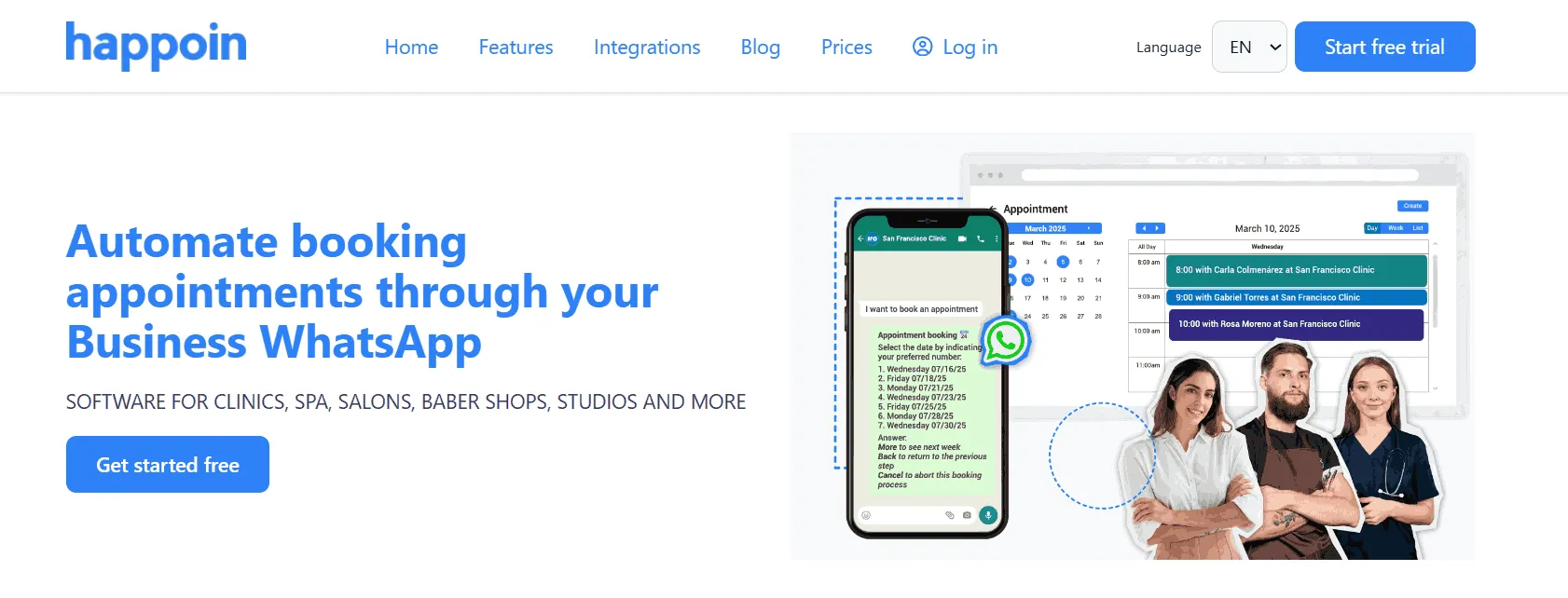
If you are looking for a booking software for businesses as a comprehensive solution, Happoin transforms your WhatsApp from a simple chat app into a sales and management engine.
Unlike other methods, Happoin centralizes the entire process. It doesn't just allow for whatsapp appointment booking; its AI-powered WhatsApp bot, HappiBot, takes care of answering FAQs, confirming attendance, and even processing cancellations automatically.
When you use Happoin, the system detects the client's response and updates your schedule in real-time. If the client confirms, the system marks it; if they cancel, the slot is instantly freed up on your booking link for someone else to take.
Advanced Tips to Reduce No-shows with WhatsApp Reminders
In addition to automatic reminders, there are other tactics you can implement today:
-
Request a deposit or down payment: Businesses that charge a percentage of the appointment upfront via online payments reduce their no-shows to nearly zero.
-
Send the reminder at the right time: Ideally, send a message 24 hours before and, for high-turnover services like barbershops, a second reminder 2 hours before.
-
Make rescheduling easy: If a client knows they can change their appointment in 10 seconds via a link, they are more likely to do that than simply not show up.
Conclusion
The success of your business doesn't just depend on how good you are at your profession, but on how efficient your management is. Implementing whatsapp appointment reminders is the fastest and most cost-effective way to increase your monthly income simply by ensuring the clients you already have actually show up.
Ready to stop wasting time and money? Automate your schedule, reduce no-shows, and offer professional service with Happoin. Click here to find out how Happoin can help you today.