Psychology Practice Management Guide: How to Automate Your Practice to Focus 100% on Your Patients

Psychology practice management means organising the bookings, client communication, reminders and daily admin that keep a psychology practice running. The right psychology practice management software can automate appointment scheduling, send reminders and let clients book online. With Happoin, you can manage these tasks through your business WhatsApp, website, web dashboard and mobile app.
Start free with a free forever plan and spend less time managing messages and more time focused on your clients.
When you decided to become a psychologist, you likely had a clear vision: helping people, understanding mental processes and facilitating healing. It is unlikely that your plans included spending hours responding to WhatsApp messages, juggling schedules in a notebook or chasing clients to confirm tomorrow's session.
However, for many professionals, private practice quickly turns into an administrative burden. You find yourself managing logistics that drain your energy before the client even walks through the door.
The good news is that psychology practice management has evolved. Today, technology can help you reclaim your role as a therapist. In this guide, we explain how to automate a psychology practice so your attention stays on clinical work.
The Challenge of Psychology Practice Management in the Digital Age
Psychology practice management includes much more than clinical work. It also involves coordinating bookings, communicating with clients, protecting professional boundaries and keeping the calendar accurate.
The Hidden Cost of Manual Management
Manual admin can take place throughout the day: replying to booking requests, checking availability, sending reminders, handling cancellations and updating your calendar. These small tasks interrupt your focus and can make it harder to switch off outside your working hours.
Manual management is also prone to mistakes, such as double-booking, missed messages or forgotten follow-ups. A practice management system brings these workflows together so you can manage appointments more consistently.
WhatsApp: A Double-Edged Sword
WhatsApp is a convenient communication channel, but using a personal number for every client request can blur the boundary between work and personal life. Without a clear process for productivity for psychologists, you may feel expected to answer at any hour.
A separate WhatsApp presence for your practice gives clients a familiar way to contact the business while keeping professional communication more organised. Happoin connects to your own business WhatsApp, so messages come from a number your clients already know.
Pillars of Efficient Organisation for Psychologists
Efficient psychology practice management is based on centralised information and proactive communication. Together, these pillars make appointment scheduling easier for psychologists, therapists and counsellors.

Centralising Information
Have you ever had to check several chat threads just to remember what availability you gave a client? Centralising information means that contact details, appointment history and relevant client information are easier to access in one place.
A clear client record can help you review appointment information without searching through multiple conversations. Clinical notes and sensitive client data may require a different system or process from appointment administration. Always check that your chosen workflow is appropriate for your professional and legal obligations.
Strategic Appointment Scheduling for Therapists
Your calendar should not be a passive list of names. It should be a practical tool for managing your working hours. Effective appointment scheduling for psychologists and therapists should:
-
Be accessible from a mobile device and a computer.
-
Show available slots clearly.
-
Support online booking without constant back-and-forth messages.
-
Update when a client books or cancels.
-
Make it easier to distinguish different appointment types or locations.
Psychology Practice Management Software: Essential Features
The best practice management software for your psychology practice depends on your workflow, client volume and professional requirements. Look for features that reduce repetitive admin without encouraging you to store information you do not need.
| Feature | What to look for | Why it matters |
|---|---|---|
| Booking link | Clients can view availability and request or book a suitable slot online. | It reduces booking messages and makes your practice available outside office hours. |
| Client management | A clear way to organise contact details, appointment history and each client record. | It gives you a more reliable overview of your schedule and client relationships. |
| Reminders | Automated reminders and confirmations sent through a channel clients use. | It helps clients remember appointments and gives them a way to respond. |
| Payments and invoices | Payment or invoice workflows that fit your practice and local requirements. | They can reduce billing admin and keep payment tasks separate from clinical work. |
| Privacy | Clear information about data handling, access and your responsibilities, including GDPR considerations where relevant. | Psychology practices handle sensitive information, so privacy should be considered before choosing software. |
| Separate professional WhatsApp | Communication from your business number rather than your personal number. | Clients receive messages from a number they recognise while you protect your personal boundaries. |
Not every practice needs a large healthcare platform. A solo therapist or solo practitioner may prioritise booking, calendar management and automated reminders. A larger clinic or allied health team may need additional client management, billing or user controls. Compare each management platform with your practice type before you decide.
When comparing psychology practice management software for UK therapists, you may see tools such as Zanda or Theranest, alongside platforms designed for health practitioners and allied health professionals. Features vary, so review how each option handles bookings, invoices, client data and communication. A tool marketed as software for psychologists may focus on clinical notes, while another may focus mainly on scheduling.
Also consider whether you need email and SMS, or whether your clients already prefer WhatsApp. AI tools and AI note-taking may be useful in some workflows, but they are not a substitute for checking privacy, access controls and professional responsibilities. A compliant workflow should match the type of client data you handle and the requirements of your UK private practice.
How to Automate a Psychology Practice Step-by-Step
Automation can start with a few repetitive tasks. Begin with booking and reminders, then review which parts of your workflow still require manual attention.
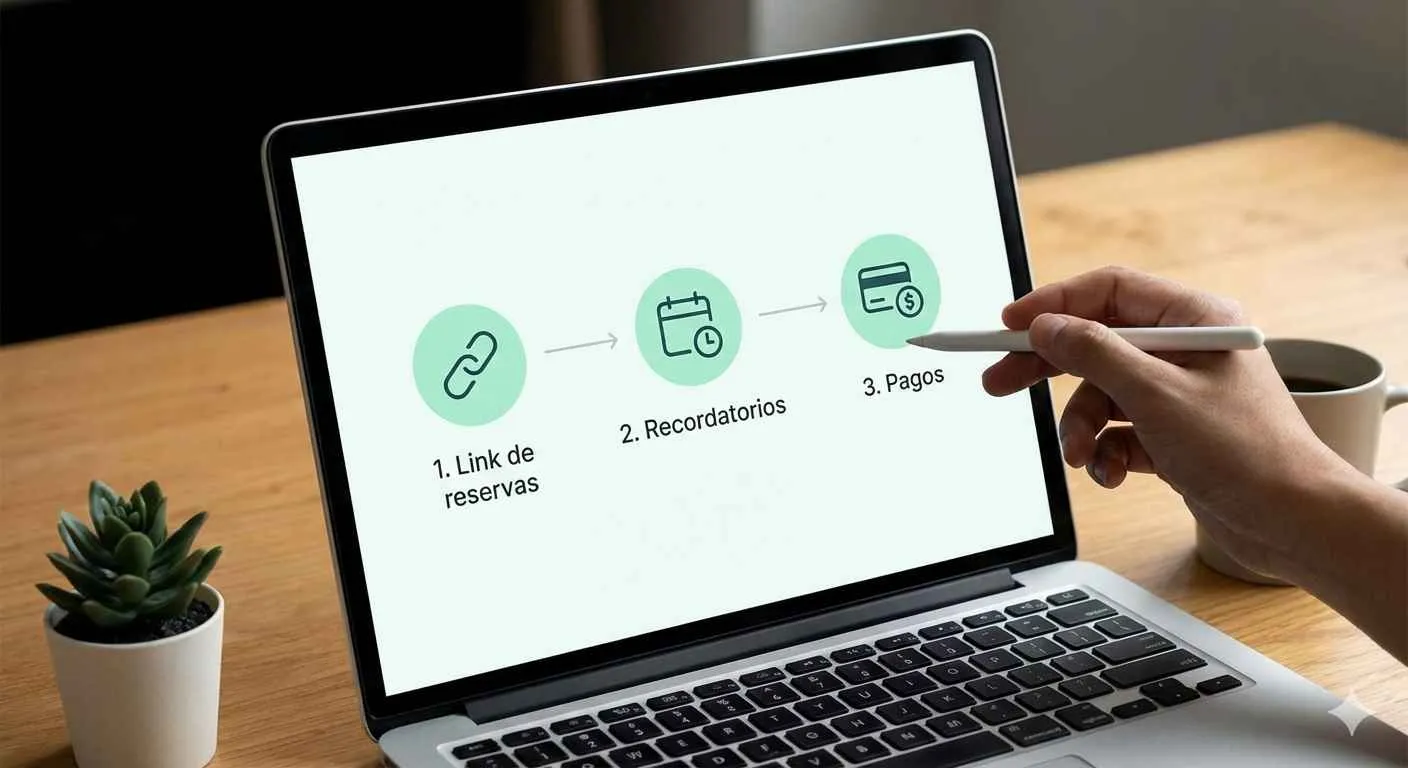
1. Implement a 24/7 Booking Link
People may look for a psychologist outside your working hours. If a potential client has to wait for a reply before choosing a time, they may lose momentum or contact another professional.
A booking link lets clients see your available slots and choose a suitable appointment. You receive the booking information without exchanging several messages, while keeping control of your working hours. You can also use a simple booking template for common appointment types, such as an initial consultation or a follow-up session.
2. Automate Appointment Reminders
Reminders help clients keep track of upcoming sessions. Appointment automation can send a reminder through WhatsApp before the session and give the client a clear way to confirm or ask to reschedule.
Happoin sends reminders from your own business WhatsApp number. This keeps the conversation in a channel your clients already use and removes the need to send each message manually. Clear automated reminders can also help you manage no-shows more proactively.
3. Review Payments and Invoices
Payment and invoice workflows can take time away from client-facing work. If your practice collects fees or deposits, define when and how clients should receive payment information. Use a suitable payments or billing process and keep it separate from the clinical conversation where appropriate.
Happoin can help you organise appointment-related admin, while you should choose the payment process and records that fit your practice, location and professional obligations.
Benefits of Using Psychology Software
Good psychology software reduces repetitive admin and gives you a clearer view of your appointment workflow. It should support your practice without replacing your professional judgement or clinical systems.
Reclaim Your Free Time
When bookings and reminders follow a defined workflow, you spend less time checking messages and repeating the same answers. You can finish your sessions with a clearer view of the next day's schedule and fewer administrative tasks waiting for you.
Professionalism and Brand Perception
The client experience begins before the first session. A clear booking process, timely confirmation and accessible communication show that your practice is organised. These details can make it easier for a new client to take the next step.
Automate your psychology practice with WhatsApp booking and reminders
Happoin: A Practical Tool for Psychology Practice Management
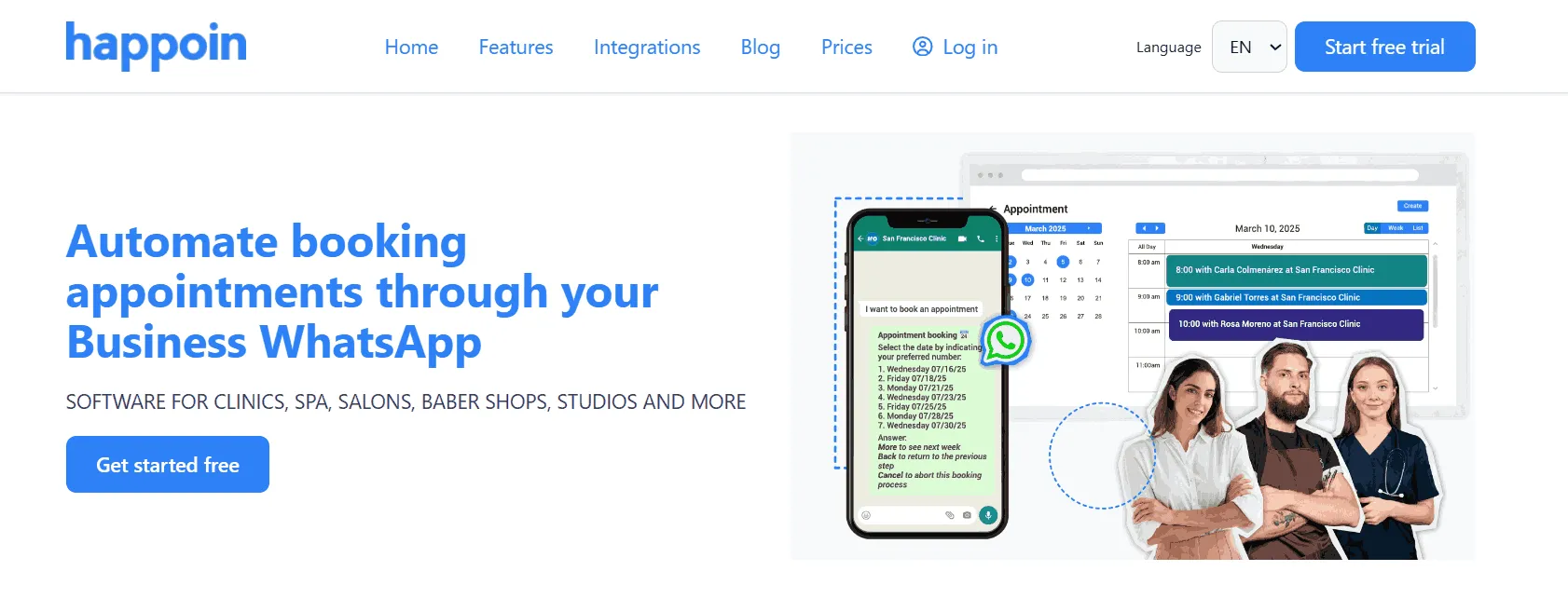
Happoin is designed for appointment-based businesses that want to manage bookings and client communication in one place. It combines online reservations, automated reminders and management from the web or mobile app.
HappiBot: Your 24/7 Virtual Assistant on WhatsApp
HappiBot is an AI chatbot, available from the Plata plan, that attends to clients through your business WhatsApp. It can answer common questions, show availability and help clients book appointments. Your clients receive messages from a number they already know, rather than an unfamiliar service number.
Automated Appointment Reminders
Happoin's reminder system sends automated reminders through your own business WhatsApp number.
-
Less manual admin: You do not need to send the same reminder to every client yourself.
-
Clear communication: Clients receive appointment information in a familiar chat channel.
-
More control: You can manage your schedule from the web and mobile app.
Online Booking: Your Practice Is Available Outside Office Hours
Happoin provides a personalised booking link that you can share on your website, social media profile or in a WhatsApp conversation.
-
Client autonomy: Clients can choose from the availability you publish.
-
After-hours access: Potential clients can request an appointment when you are not available to reply.
Conclusion: Toward a More Human, Less Administrative Practice
Psychology practice management should support your work rather than overshadow it. By learning how to automate a psychology practice, you can create a clearer process for bookings, reminders and everyday communication.
Technology, when used thoughtfully, gives you more space to be present with the person in front of you. Happoin helps you manage appointments through your own business WhatsApp, with online booking, automated reminders and an AI assistant included.
Ready to organise your practice? Create your free account and explore a simpler way to manage appointments.