Psychology Practice Management Guide: How to Automate Your Practice to Focus 100% on Your Patients

When you decided to become a psychologist, you likely had a clear vision: helping people, understanding mental processes, and facilitating healing. It is highly unlikely that your plans included spending three hours a day responding to WhatsApp messages, juggling schedules in a notebook, or chasing patients to confirm if they will show up for tomorrow's session.
However, for many professionals, the reality of private practice quickly turns into "Secretary Syndrome." You find yourself managing administrative logistics that drain your energy before the patient even walks through the door.
The good news is that psychology practice management has evolved. Today, technology is not a barrier but a bridge that allows you to reclaim your role as a therapist. In this guide, we will teach you exactly how to automate a psychology practice so your only concern is clinical excellence.
The Challenge of Psychology Practice Management in the Digital Age
Managing a private clinic or practice is not just about being a great clinician; it also involves running a business. And like any appointment-based business, time is your most valuable asset.
The Hidden Cost of Manual Management
Many psychologists underestimate the time they spend on administrative tasks. If you add up the 5 minutes it takes to schedule an appointment via chat, the 3 minutes for each manual reminder, and the time lost to last-minute cancellations, you could be losing up to 10 hours a week.
That time has a direct opportunity cost: those are hours you could spend seeing more patients, engaging in professional development, or simply resting to avoid burnout. Manual management is not only slow; it is prone to human error, such as double-booking or involuntary oversights.
WhatsApp: A Double-Edged Sword
WhatsApp is a powerful communication tool, but without a strategy for productivity for psychologists, it can become a nightmare. Using a personal number to receive patient requests at any hour breaks therapeutic boundaries and creates a sense of being "always on."
When a potential patient texts you at 11:00 PM to change an appointment, your brain shifts from rest mode back into management mode. This is where automation makes the difference between a saturated professional and an organized one.
Pillars of Efficient Organization for Psychologists

For your practice management to be fluid, you must base it on two fundamental pillars: centralization and proactivity.
Centralizing Information
Have you ever had to check three different chat threads just to remember what availability you gave a patient? Centralizing information means that contact details, appointment history, and basic patient notes must live in a single, accessible place.
A digital client record system allows you to have full context before each session, improving the quality of care and projecting an image of order and professionalism.
Strategic Appointment Scheduling for Therapists
Your calendar should not be a passive list of names. It should be a strategic tool. Efficient appointment scheduling for therapists is one that:
-
Is accessible from any device (mobile or laptop).
-
Allows you to see open slots instantly.
-
Visually differentiates between online and in-person sessions.
-
Updates in real-time whenever a patient books or cancels.
How to Automate a Psychology Practice Step-by-Step
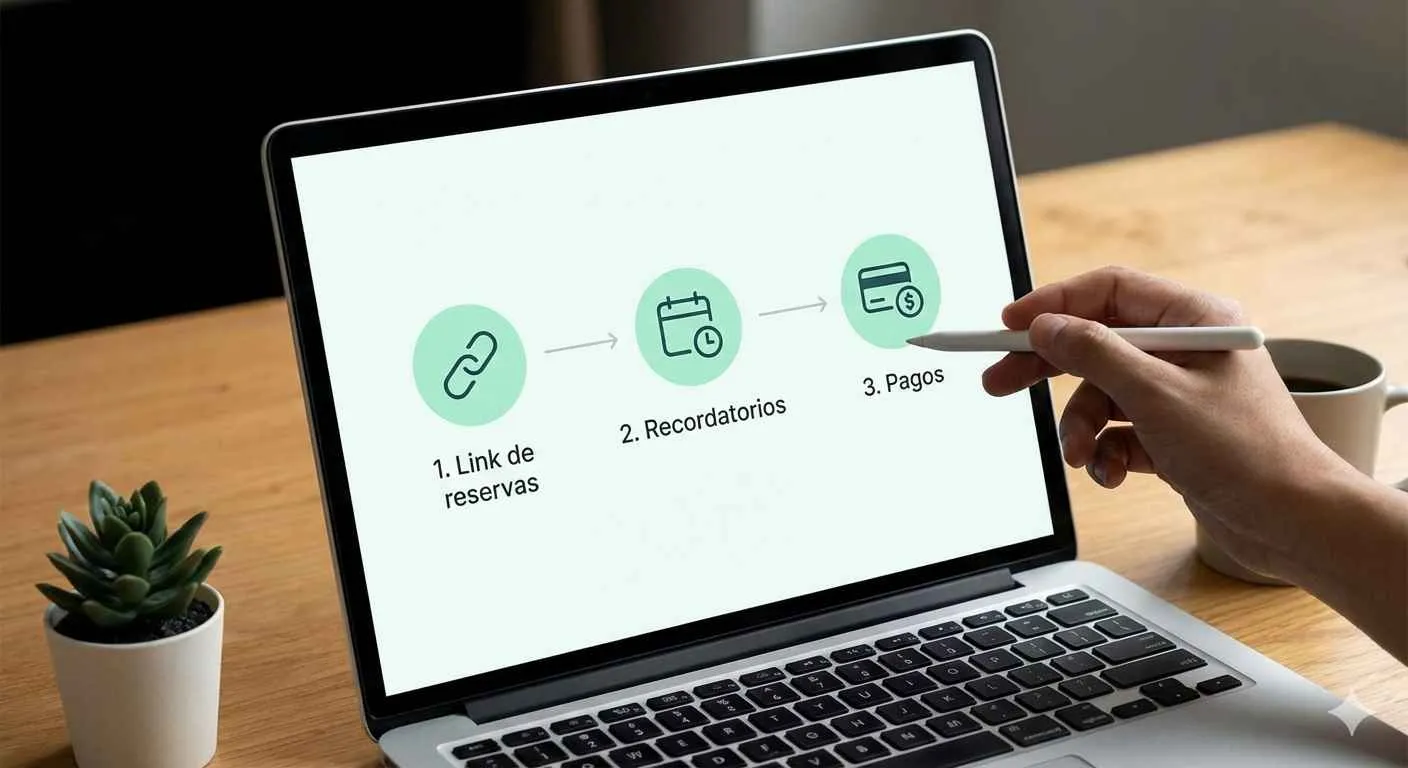
If you are ready to stop being your own secretary, automation is the way forward. Here is how to implement it easily.
1. Implementing a 24/7 Booking Link
Most people feel the need to seek therapy during moments of crisis or reflection, which often occur outside office hours (nights or weekends). If a potential patient has to wait until Monday at 9:00 AM for you to respond, the motivation may fade, or they may look for another professional.
A 24/7 booking link allows patients to see your real-time availability and book at the exact moment of their need. You simply receive a notification with the appointment already confirmed.
2. Appointment Automation and Reminders
This is the step that has the biggest impact on your income. No-shows are the number one enemy of profitability in psychology. Appointment automation allows you to send automatic reminders via WhatsApp a day before or a few hours before the session.
By receiving a professional message with the option to confirm or reschedule, the patient feels more committed, and you reduce dead time in your calendar.
3. Synchronization and Online Payments
Securing a deposit for the first session or collecting payments in advance is becoming a common and ethical practice. Automating this process through integrated payment gateways reduces the friction of collecting fees during the session, allowing the therapeutic space to remain focused exclusively on treatment.
Benefits of Using Psychology Software
Adopting psychology software is not an expense; it is an investment in your quality of life.
Reclaim Your Free Time
Imagine finishing your last session of the day and knowing that tomorrow’s schedule is already confirmed, you have no pending messages to answer, and your system has continued working for you. Automation gives you the freedom to truly disconnect.
Professionalism and Brand Perception
The patient experience begins long before they sit on the couch. A fluid scheduling process, clear confirmation messages, and fast (even if automated) responses communicate that you are a serious, organized, and up-to-date professional. This builds initial trust that facilitates the therapeutic alliance.
Happoin: The Ultimate Tool to Automate Your Management
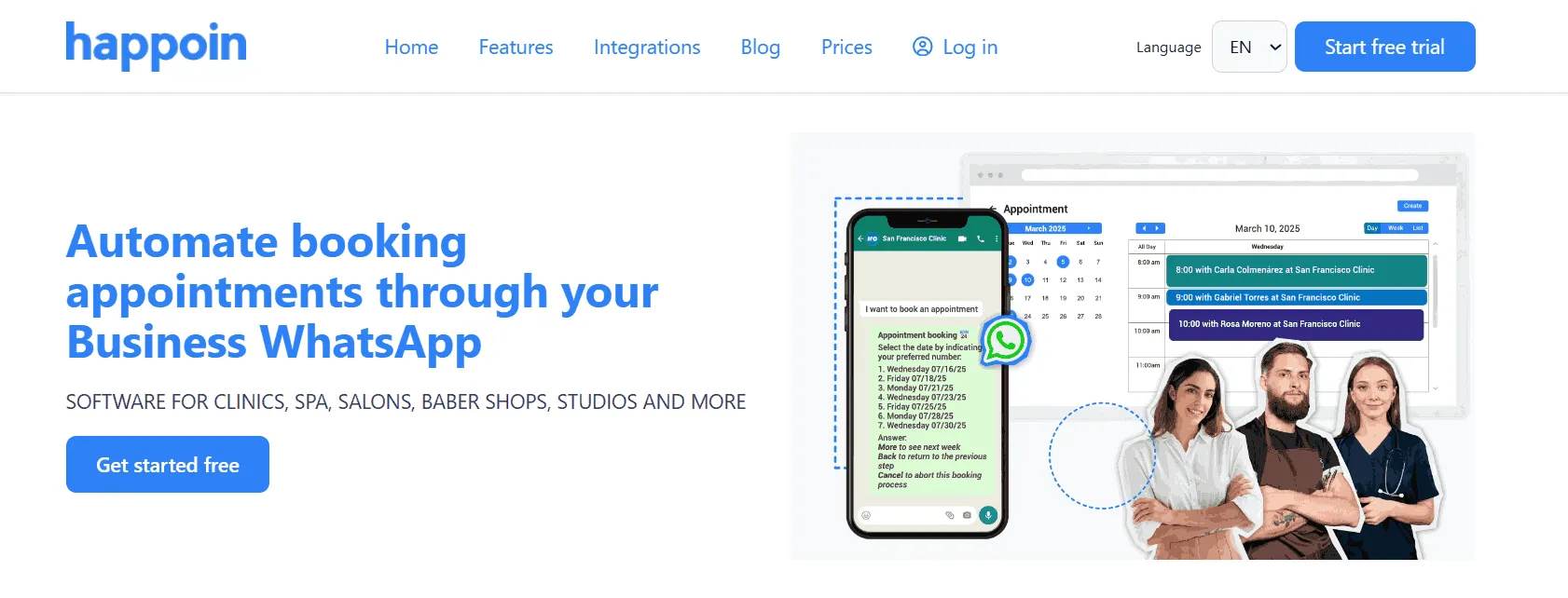
In the world of digital tools, Happoin was created with a clear purpose: to simplify the lives of professionals who, like you, base their daily routine on managing appointments via WhatsApp.
HappiBot: Your 24/7 Virtual Assistant on WhatsApp
We know your practice's WhatsApp is your main channel. Instead of forcing patients to leave that platform, Happoin introduces HappiBot. This intelligent assistant answers FAQs, shows your availability, and schedules appointments directly within WhatsApp. It’s like having an efficient assistant working for you 24 hours a day.
Automated Appointment Reminders: Save Hours Every Week
Happoin's standout feature is its reminder system. Unlike other systems that send emails (which often go unread), Happoin sends automated reminders through your own clinic’s WhatsApp number.
-
Eliminate Manual Tasks: No more manual texting every night. Happoin does it for you.
-
One-Click Confirmation: Patients can confirm directly in the chat, automatically updating your schedule status and reducing no-shows by up to 40%.
24/7 Booking Link: Your Office Always Open
Some patients prefer the immediacy of choosing their own time slot without exchanging messages. Happoin provides you with a personalized booking link that you can place in your Instagram bio, Google My Business profile, or send directly via chat.
-
Patient Autonomy: The patient accesses a user-friendly interface to book in less than a minute.
-
Capture "After-Hours" Leads: You can wake up to new appointments confirmed in your calendar while you were sleeping.
Conclusion: Toward a More Human, Less Administrative Practice
Psychology practice management should not be a burden that overshadows your vocation. By understanding how to automate a psychology practice, you are making the choice to protect your time, your income, and your mental health.
Technology, when used correctly, humanizes the process by allowing you to be 100% present with the person in front of you, without the mental distraction of a cluttered schedule.
Are you ready to transform your practice and reclaim your time? Discover how Happoin can turn your WhatsApp into an intelligent assistant that works for you while you do what you do best: caring for others.
Explore Happoin today and start your journey toward automated management
Frequently Asked Questions (FAQ)
1. What is automated psychology practice management?
It is the use of technological tools (software and bots) to handle repetitive tasks such as scheduling, sending reminders, and patient registration, eliminating the need for constant manual intervention by the therapist.
2. How can I separate my personal WhatsApp from my professional one as a psychologist?
The best way is to use a management platform like Happoin that integrates a chatbot (HappiBot). This allows the system to handle patient requests professionally, allowing you to respond only when strictly necessary and within your set hours.
3. Is it worth investing in psychology software if I only have a few patients?
Definitely! Automating from the start allows you to project a professional image and build a solid foundation for growth without the increase in patients leading to a proportional increase in administrative stress.
4. Is it safe to automate appointment reminders via WhatsApp?
Yes, as long as you use platforms that respect privacy and use official channels. Automation improves the patient experience by providing clear and timely information about their treatment, which is perceived as added value in care.